Step 4: Review First Signals
Written By Kalo from Sensorhub
Last updated 5 months ago
Quick Start Checklist
Step 4: Review First Signals
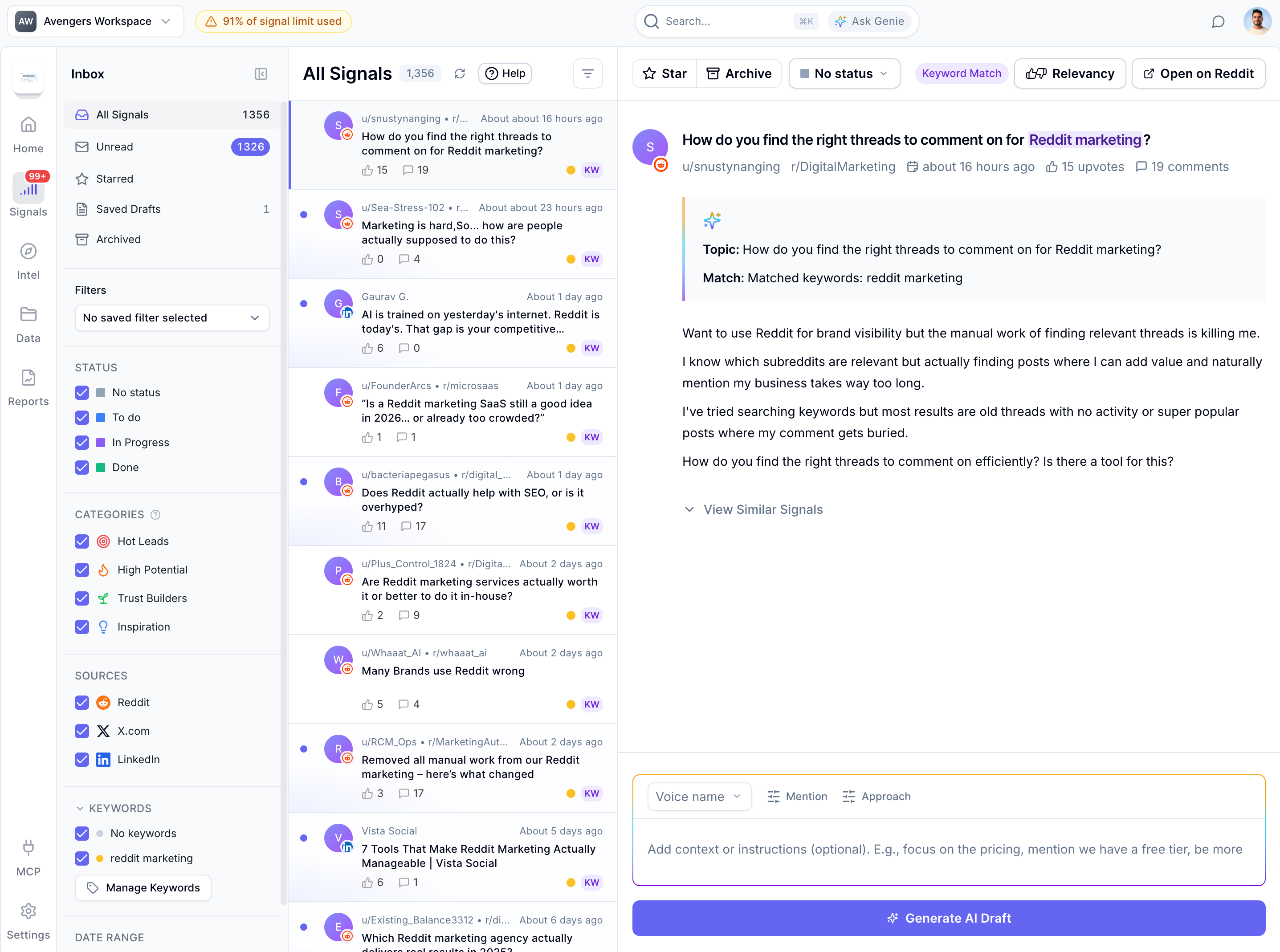
Signals are the core of Sensorhub. Every day, people on Reddit, LinkedIn, and X are asking for exactly what you sell. They're comparing tools, requesting recommendations, and looking for expert advice.
Sensorhub helps you be in that conversation. When you spot one worth jumping into, click "Generate Draft." Sensorhub writes a thoughtful, on-topic response. Copy it, paste it into the platform, and you're done.
When you engage consistently, you start showing up everywhere your audience is looking. You build authority in your space. Over time, you earn citations and get cited more in LLMs like ChatGPT, Perplexity, and AI Overviews.
First Signals and Ongoing Signals
It takes Sensorhub about 5 to 10 minutes to pull in your first batch of signals. Then, it can take up to an hour to get the full initial set of signals.
After the initial search, Sensorhub will continue monitoring for new, relevant signals and send you an email notification when it finds any.
Signal Score
Each signal is scored from 50% to 100%. The higher the score, the better the signal for your business and goals. If a signal is below 50%, it will not be displayed because Sensorhub deems it irrelevant.
The signal Score is a proprietary formula calculated from two factors:
The relevancy of the signal - how relevant the topic and content of the signal is compared to the business data in your Intel tab.
The buying intent of the signal - signals with commercial intent get a higher score. E.g., when someone is actively looking for a solution like yours or is comparing competitors.
Signal Relevancy
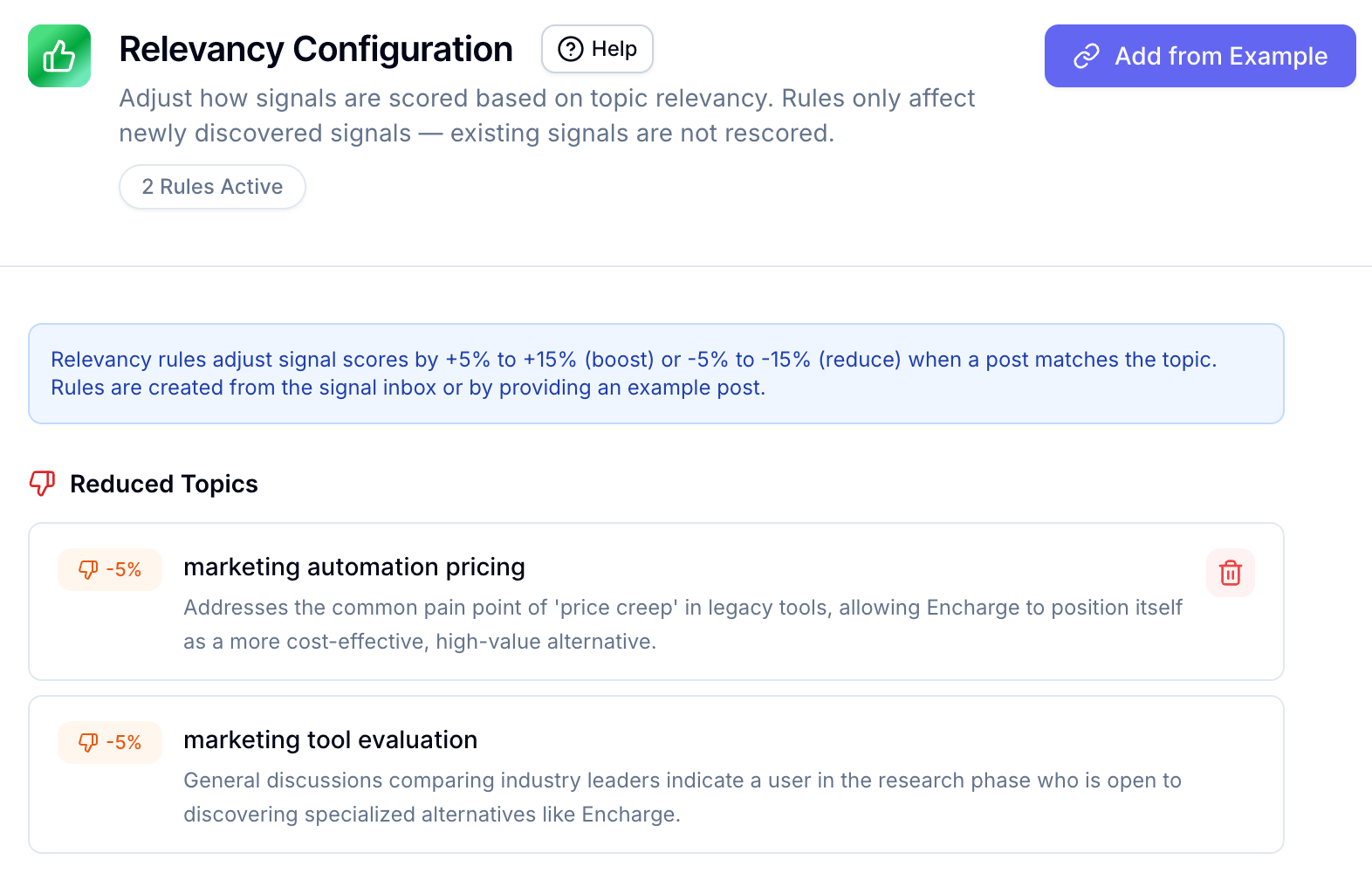
Using the Relevancy feature, you can assign a relevancy score to specific topics (anywhere from -5% to +15%), which will lower or raise the scores of signals matching those topics. This will affect only future signals matching these topics.

Two things to keep in mind:
If a signal falls below 50% due to these rules, it will not appear in your Inbox.
You can only adjust the relevancy of signals, but you can’t change the buying intent.
You can remove these scoring rules from Data → Relevancy. Again, only future signals will be re-scored.
Signals Limits
*This limit is the total limit for all of the projects on your account.
Quick Start Checklist
Step 4: Review First Signals
Still need help? Ask the team