Bonus Step: Add a Keyword
Take control over signals with keywords
Written By Kalo from Sensorhub
Last updated 5 months ago
Sensorhub finds signals based on your website and Intel (Step 2: Review the Intel Page), but sometimes you want to track something specific that goes beyond that.
That's where Keywords come in. You can add any keyword, and Sensorhub will tag matching signals in your inbox. It filters your existing signals and tags any new ones that come in.
Important notes on using keywords
Keywords aren't the main way to surface signals in Sensorhub. Unlike keyword-based tools, we run every signal through AI to score and prioritize it, which gives you sharper, more relevant results.
Keyword-match signals are a separate path: they only fire on close keyword matches.
Use keywords when you need to track something specific, like your brand name or a competitor.
Avoid vague single-word keywords like "data" or "marketing", or you'll get thousands of irrelevant signals.
Keyword-match signals aren't AI-scored, so you can't filter or sort them by score.
Setting Up Your First Keyword
Go to Data → Keywords
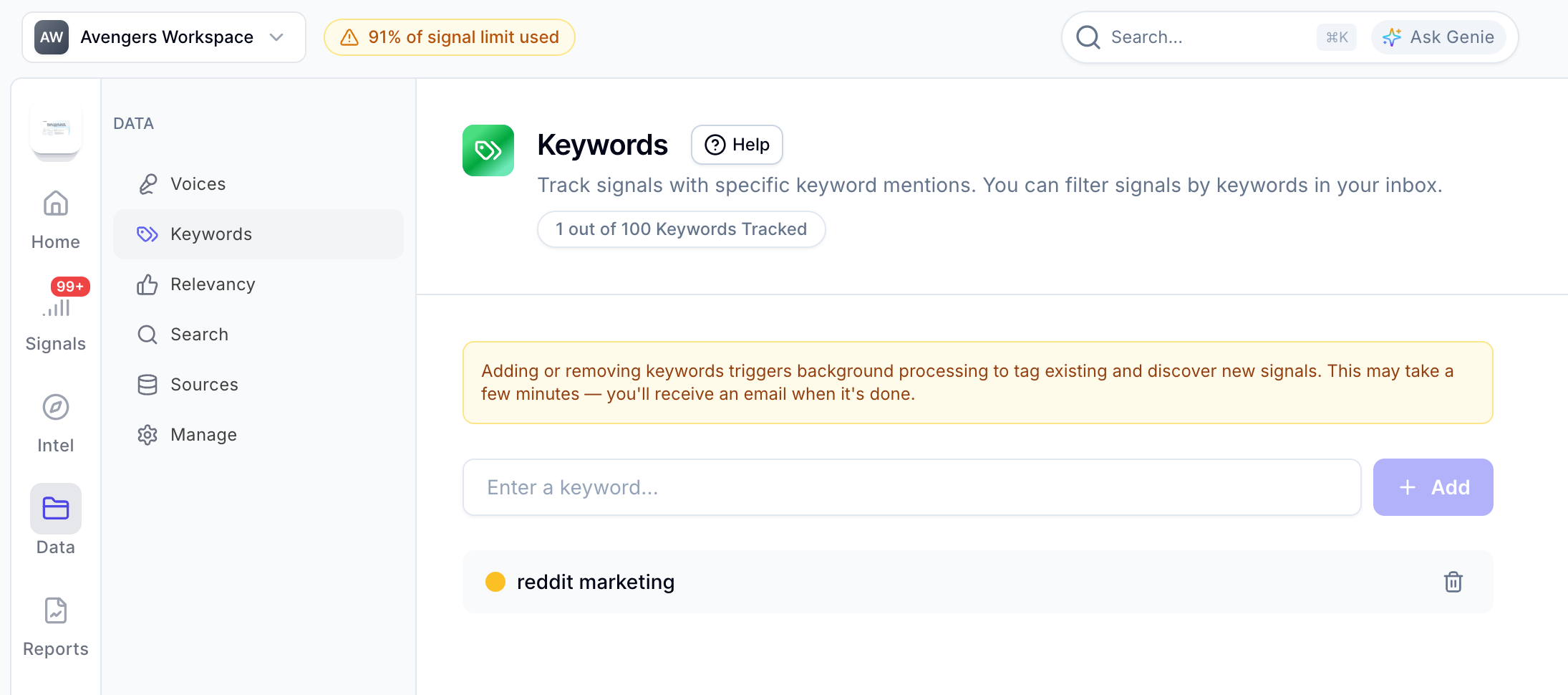
Enter an exact match keyword and click on the “Add” button. You can also select a custom color to distinguish the keyword on the Signals page.
It takes 5-15 minutes for Sensorhub to tag existing signals and start tagging new ones. You will receive an email once the process is done.
That’s it!
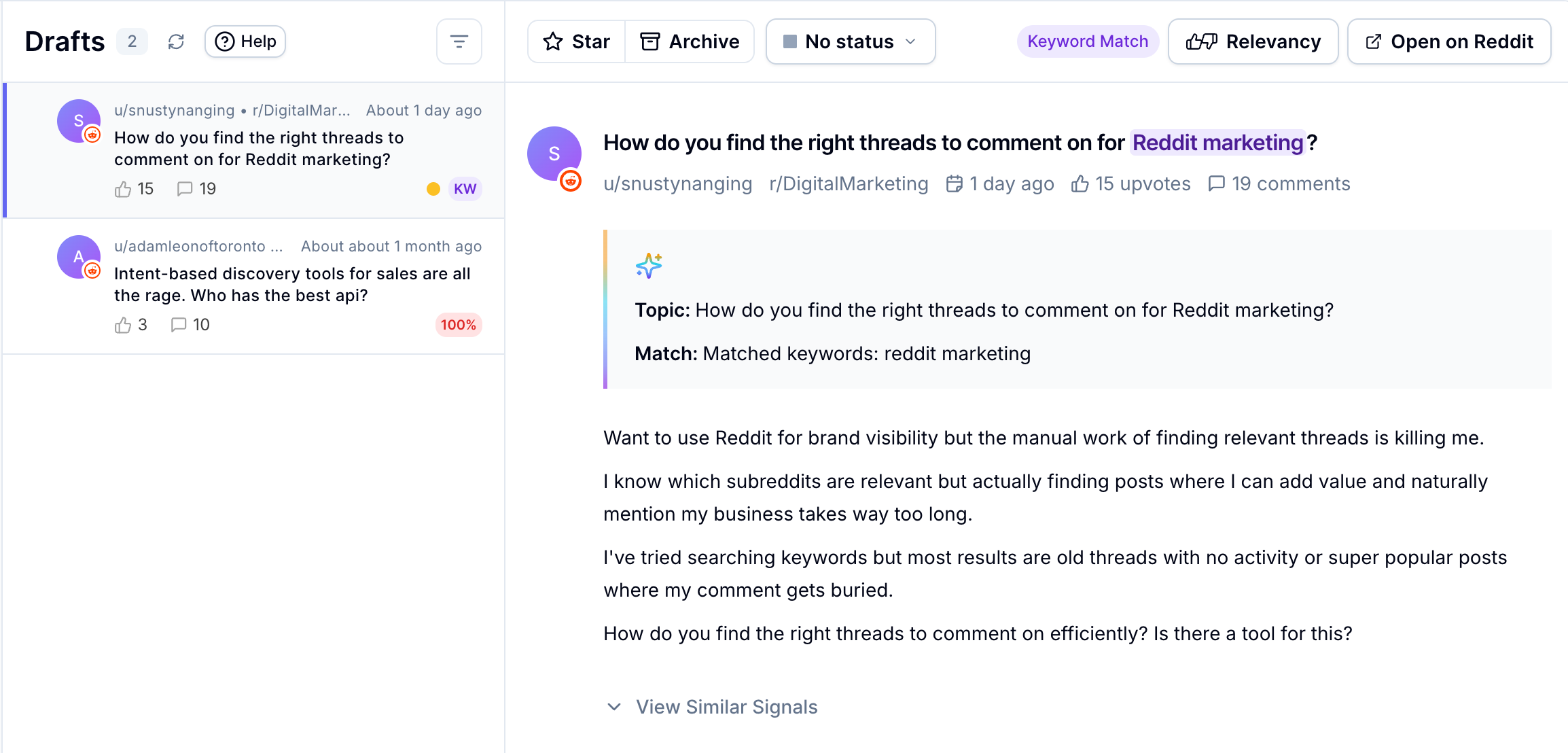
Keywords are highlighted in each signal so you can spot them instantly, and also have the “Keyword Match” badge, as well as the colored dot of the keyword.
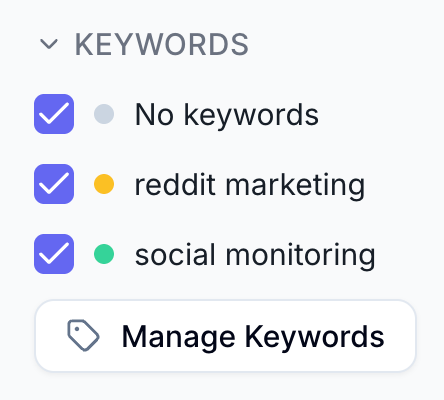
You can also filter signals by keyword:
Keywords Relevancy Score
Keyword match signals aren't scored for relevance like your regular signals are. Since you're choosing exactly what to track, we leave that judgment to you. Instead of the Relevancy Score percentage badge, you will only get a “Keyword Match” badge.
Since we are putting you in the driver's seat, keyword-match signals might be irrelevant in some cases, depending on your keyword relevance. It’s up to you!
Keyword Use Cases
Keywords are great for:
Tracking brand mentions. Just enter your brand name.
Keeping an eye on competitors - enter one or more competitor names.
Following topics that aren't on your website, yet. For example, if you're building a new feature that isn't live or mentioned anywhere, you can start tracking conversations about it right now, before you even launch.
Think of it as a way to go beyond what Sensorhub picks up automatically and zero in on exactly what you care about.
Keyword Limits
Here are the keyword limits per plan:
Trial - 10 keywords
Basic - 10 keywords
Pro - 30 keywords
Enterprise - 100 keywords
Still need help? Ask the team