Step 5: Generate a Draft and Respond
How Sensorhub helps you write relevant responses
Written By Kalo from Sensorhub
Last updated 6 months ago
The workflow:
Select a signal - You find a relevant discussion, mention, or question in your Sensorhub signal Inbox (from Reddit, LinkedIn, or X)
Click "Generate AI Draft" - Sensorhub analyzes the signal and generates a tailored draft response
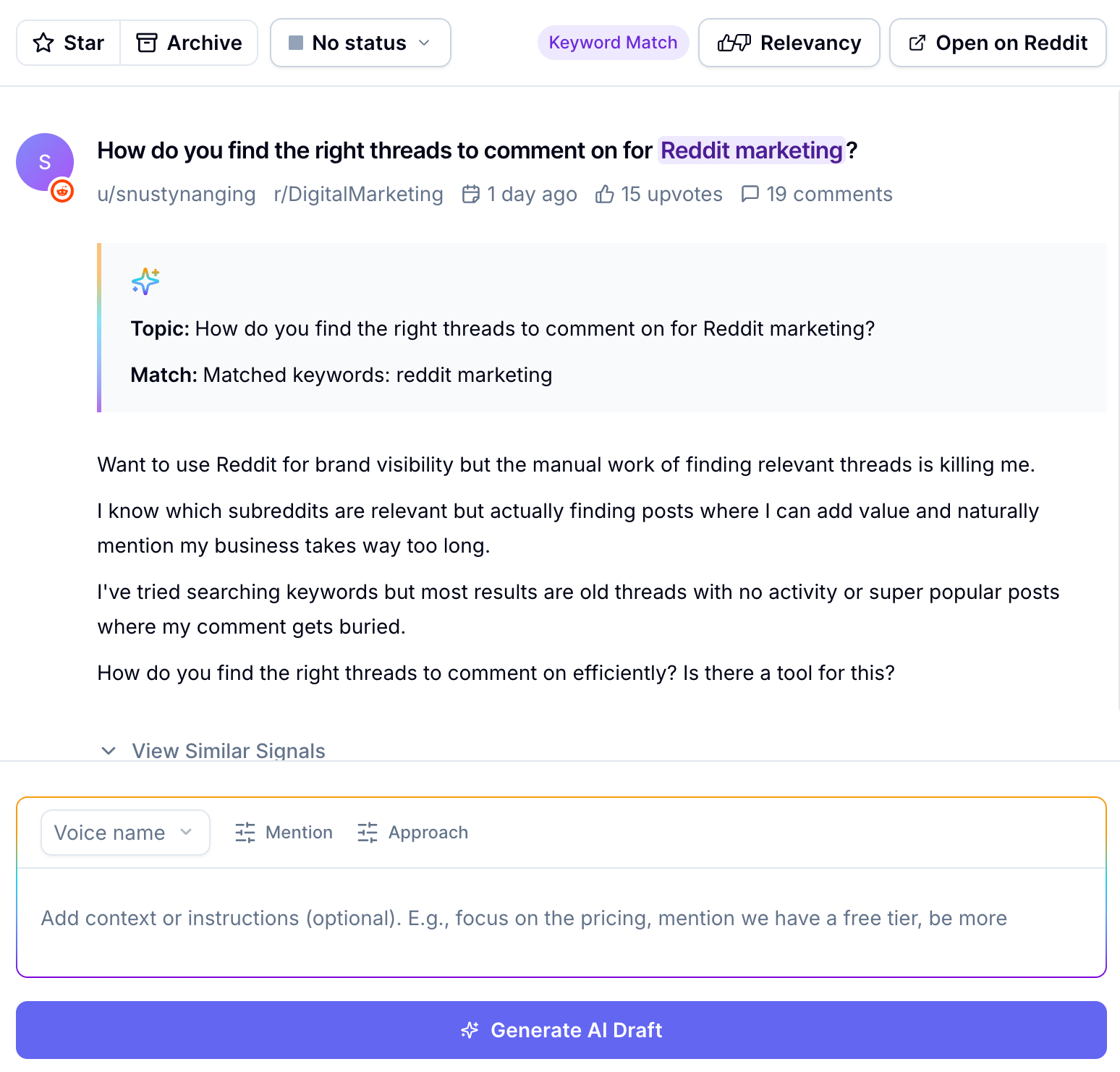
Copy and paste the response - You take that draft, move it to the actual platform (Reddit, LinkedIn, X), and hit publish
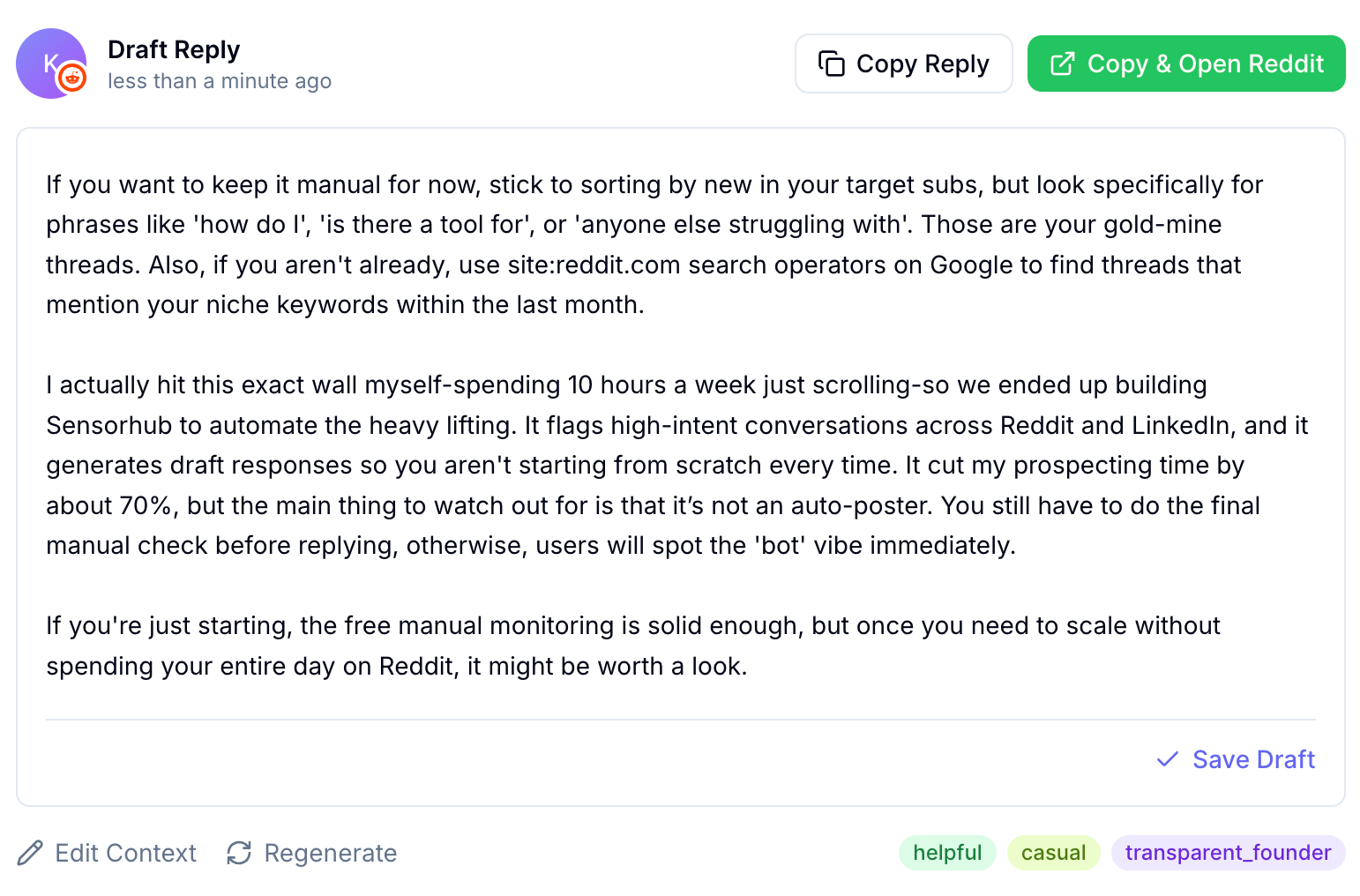
That's it. The draft Sensorhub generates is your starting point, not the final output.
Pro tip: All generated responses are added to the tab “Saved Drafts” in your Signals Inbox.
How to Fine-tune Your Responses
When crafting an AI draft, you have three additional settings:
Select a custom voice (learn more on Step 3: Set Up a Custom Voice ) to personalize your response with a specific persona style and instructions.
Product/service mention - instruct Sensorhub on how to mention your business (if at all).
Approach - like “Helpful & Informative”, “Casual & Friendly”, etc.
Additional instructions or context with a prompt.
Why Authenticity Matters
We will never auto-publish comments from your account(s) or use fake accounts to generate spammy engagement (responses, likes, etc.)
Here's why:
We don’t believe in AI slop and blast-farming engagement. Generic, over-polished, soulless responses that feel like they came from a marketing department, not a real person.
Every platform, community, and thread has its own context and tone. A draft that's perfectly on-topic can still miss the mark if it doesn't reflect your actual experience, voice, or the specific thread dynamics. When you copy and paste a draft and edit it, you're adding the human judgment that turns generic advice into genuine engagement.
Platforms like Reddit actively block comments and posts submitted via API. They know when bots are trying to engage at scale. You risk getting your account banned quickly.
Tips to Writing Better Responses
Sensorhub surfaces the right conversations to join and provides AI-accelerated starting points for what to say. But you're the one who:
Enriches the response with your personal experience
Adjusts the tone to match the community
Catches nuance the AI might miss
Decides if this is worth engaging with at all
Bonus getting started step:
Still need help? Ask the team